
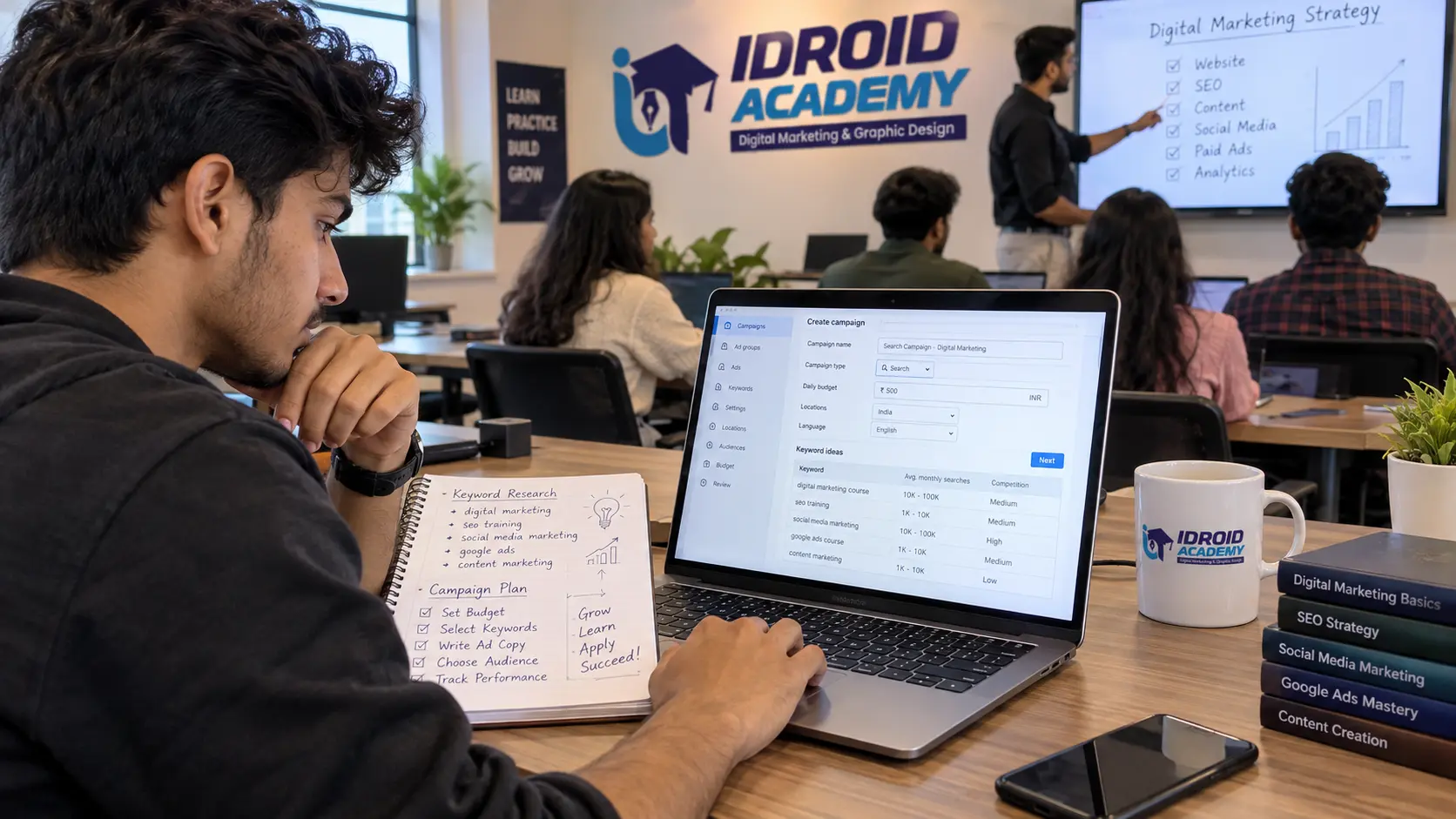
Google Ads kaise kare is one of the most searched questions among small business owners and beginners in digital marketing, and for good reason. Google Ads can start sending traffic to a website within a day of launching, unlike SEO, which takes months to build up. But running a campaign well involves more than just setting a budget and writing an ad. Here is a practical, step-by-step walkthrough of how to set up and run your first Google Ads campaign the right way.
What Is Google Ads and How Does It Work
Google Ads is Google's online advertising platform, where businesses pay to show ads across Google Search results, YouTube, the Google Display Network, and other Google properties. It runs primarily on a pay-per-click model, meaning you are charged when someone actually clicks your ad, not simply for it being shown. According to Google's own setup guidance, you are not charged until your account is fully set up and your ad has been approved and starts receiving clicks, and approval typically takes about a day.
The campaign type you choose determines where your ads actually appear. A Search campaign places text ads directly in Google's search results, a Display campaign shows visual ads across websites in Google's network, and a Video campaign runs ads on YouTube, each suited to a different kind of goal.
Google Ads Kaise Chalayen: Step-by-Step Setup
Step 1: Set up your Google Ads account. Go to ads.google.com and sign in with an existing Google account, or create a new one. You will be asked for basic business information, including your website and business details.
Step 2: Choose your advertising objective and goal. Google Ads' own setup process starts by asking you to select an advertising objective, such as sales, leads, or website traffic, and then guides you toward a specific goal based on that choice. This decision shapes the recommendations you get throughout the rest of setup, so it is worth choosing the objective that actually matches what you want the campaign to achieve, not just the first option.
Step 3: Select a campaign type. Based on your goal, Google Ads will suggest suitable campaign types. For most beginners running a business website, a Search campaign is the most straightforward starting point, since it targets people actively searching for what you offer.
Step 4: Do basic keyword research. Before setting up ad groups, identify the search terms your potential customers are actually typing into Google. Keyword research tools built into Google Ads, like Keyword Planner, help estimate search volume and competition for different terms, which shapes both your targeting and your budget expectations.
Step 5: Set your budget and bidding. You will set a daily budget and choose a bidding approach, either manual bidding where you control cost per click directly, or automated bidding strategies where Google's system adjusts bids to meet a specific goal, such as maximizing clicks or conversions within your budget.
Step 6: Build ad groups and write your ads. Ad groups organize your keywords and ads around a specific theme or product. Within each ad group, you write the actual ad copy, headlines, descriptions, and the landing page URL the ad will send people to. Keeping ad groups tightly themed around related keywords generally produces more relevant, better-performing ads.
Step 7: Set up conversion tracking before you launch. This step gets skipped by a lot of beginners, and it is the one that matters most. According to Google's own support documentation, a conversion is recorded when someone interacts with your ad and then takes an action you have defined as valuable, and tracking this is what tells you which keywords, ads, and campaigns are actually working for your business. Without conversion tracking set up, you are running a campaign with no way to measure whether it is actually producing results.
Step 8: Review your settings and launch. Before going live, double check your campaign type, targeting, budget, billing information, and landing page URLs. Once everything looks correct, launch the campaign and give it a few days to gather enough data before making major changes.
Common Beginner Mistakes to Avoid
Skipping conversion tracking. Without it, you cannot tell if the campaign is working, only how much it is costing.
Using overly broad keywords. Broad, generic keywords tend to attract clicks from people who were never going to convert, wasting budget quickly.
Sending traffic to a generic homepage. Ads perform better when they link to a landing page directly relevant to what the ad promised, not a general homepage the visitor has to search through.
Changing settings too frequently. Campaigns need a few days of data before their performance is meaningful. Making major changes daily makes it hard to tell what is actually working.
Ignoring negative keywords. Adding negative keywords, terms you do not want your ad to show for, prevents wasted spend on irrelevant searches.
Do You Need a PPC Course Before Running Ads Yourself
You can technically launch a Google Ads campaign without any formal training, since Google's own interface walks you through the basic setup. Where a structured PPC course actually helps is everything past that initial setup: reading performance data correctly, adjusting bids and budgets based on real results, structuring campaigns and ad groups efficiently, and avoiding the common mistakes listed above that quietly waste ad spend for beginners running campaigns on their own.
How to Learn Google Ads and PPC Properly
If you want to run Google Ads professionally, either for your own business or as a career, learning it alongside the surrounding digital marketing skills, keyword research, analytics, and SEO, gives you far more context than learning the platform in isolation. iDroid Academy's Digital Marketing course in Bhopal includes a dedicated Google Ads and PPC module, covering campaign setup, bidding strategies, and conversion tracking, taught through live, client-style projects.
Since SEO and Google Ads work best together, organic search building long-term traffic while PPC delivers immediate results, it is also worth understanding the fundamentals covered in the academy's SEO Specialist course, especially if you want a complete picture of how paid and organic search fit together for a business.
Frequently Asked Questions
Google ads kaise chalayen without wasting money as a beginner? Start with a small daily budget, use specific rather than broad keywords, set up conversion tracking from day one, and avoid making major changes to the campaign in its first few days while it gathers data.
How much does Google Ads cost to start? There is no fixed minimum. You set your own daily budget, and you are only charged when someone clicks your ad, so you can technically start with a small daily amount and scale up once you see results.
Is Google Ads better than SEO for a new business? They serve different purposes. Google Ads can produce traffic almost immediately, while SEO takes longer but keeps working without ongoing ad spend. Most established digital marketing strategies use both together.
Do I need coding skills to run Google Ads? No. Setting up and managing Google Ads campaigns does not require coding. Basic comfort with analyzing performance data is more useful than technical skills.
Learn to Run Google Ads Campaigns the Right Way
If you want to move beyond guesswork and actually manage Google Ads campaigns with confidence, iDroid Academy's Digital Marketing course in MP Nagar, Bhopal includes hands-on Google Ads and PPC training as part of a complete curriculum. You can call the academy at +91 9589674037, write to info@idroidacademy.com, or book a free demo session to see how the course is structured before enrolling.